Icon of program: AVS Video Converter

AVS Video Converter for Windows

  • Free
  • 3.3
    360
  • 192.4K
  • V26.0.2.17
Free Download for Windows

View an ad to download for free

Comprehensive Multimedia Conversion with AVS Video Converter

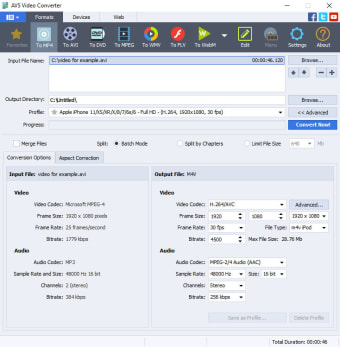
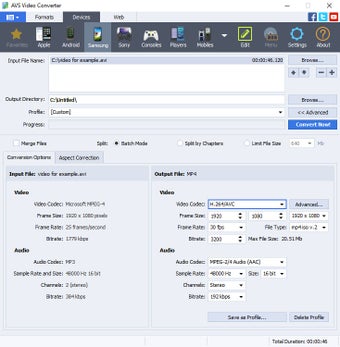
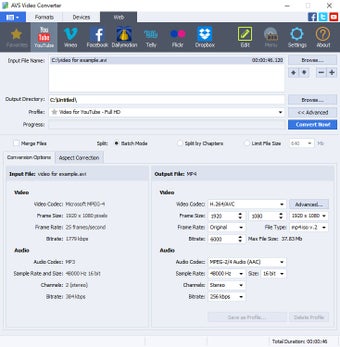
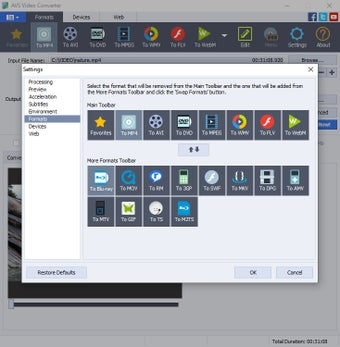
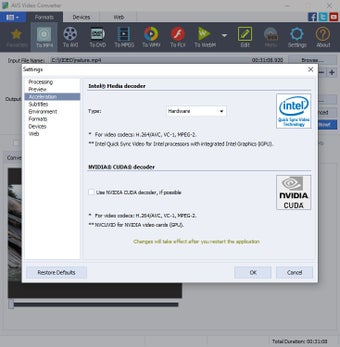
AVS Video Converter is a free multimedia application designed for Windows that facilitates video format conversion. It supports a variety of formats, including AVI, MPEG, MOV, DVD, WMV, Flash, 3GP, RM, and MP4, making it a versatile tool for users needing to convert videos for various devices. The program is particularly useful for those whose devices do not support certain video formats, ensuring compatibility across different media players.

Unlock your creativity with Adobe Stock

Get 10 images or 1 video with a free trial

In addition to conversion capabilities, AVS Video Converter includes editing features that allow users to enhance their videos before conversion. Users can adjust luminosity and contrast, trim clips, and add text overlays, providing a comprehensive suite of tools for video preparation. This functionality ensures that users can customize their videos to meet specific requirements, enhancing the overall viewing experience.


 0/5

App specs

Program available in other languages


Icon of program: AVS Video Converter

AVS Video Converter for PC

  • Free
  • 3.3
    360
  • 192.4K
  • V26.0.2.17
Free Download for PC

View an ad to download for free


User reviews about AVS Video Converter

3.3

2 reviews

Add review

Main reviews for you

  • Anonymous user

    Worthless. the people at avs are no help.when asked what to do about the sync issues all they said was to delete avs and redownload it.i did that and it didn't change anything

  • Anonymous user

    Sync issues. every video i try and convert to dvd comes out of sync.and it won't let you change the settings for frames per second when you're converting a video to dvd.it's funny that a little program like videopad has no problem burning videos and converting them with no sync issues.yet avs can't do it.

More

You may also like

Alternatives to AVS Video Converter

Explore Apps

Latest articles

Laws concerning the use of this software vary from country to country. We do not encourage or condone the use of this program if it is in violation of these laws.
Softonic

Is AVS Video Converter safe?

100/100

Score result: Clean

This file passed a comprehensive security scan using VirusTotal technology. It is safe to download.

  • Virus free
  • Spyware free
  • Malware free
  • Verified by Security Partners

    VirusTotal logo

Scan Info

Last scan
Monday, May 27, 2024
Scan provider
VirusTotal

Softonic security commitment

AVS Video Converter has been thoroughly scanned by our advanced security systems and verified by industry-leading partners. This file comes from the official developer and has passed all our security checks, showing no signs of viruses, malware, or spyware. For more information, visit our Security and Trust Center
Signed in to Softonic as